[global] workgroup = WORKGROUP #所要加入的工作组或者域 netbios name = Manjaro #用于在 Windows 网上邻居上显示的主机名 security = user #定义安全级别 map to guest = bad user #将所有samba系统主机所不能正确识别的用户都映射成guest用户 dns proxy = no #是否开启dns代理服务
vim /etc/samba/smb.conf ##找到 security = user 修改为 security = user map to guest = Bad User ##在最后添加下面的内容: [share] comment = share folder browseable = yes path = /share public = ok guest ok = yes writable = yes
2.4.4- 重启samba服务
1
service smb restart
2.5- 验证
2.5.1- window打开samba服务器ip
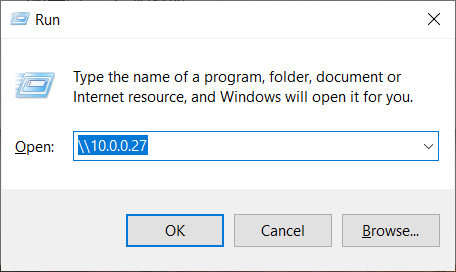
window + r 键打开运行,输入samba两个反斜杠和服务器ip
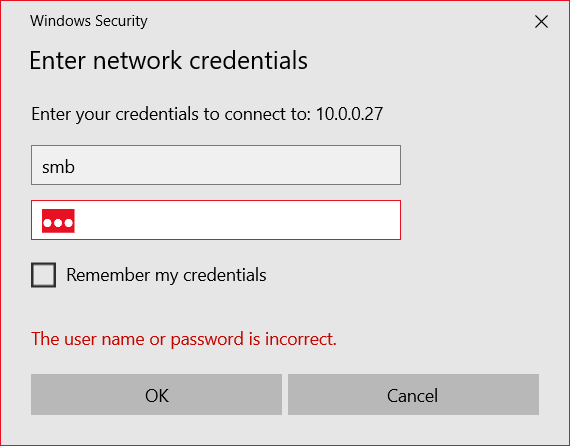
2.5.2- 使用smb用户名和密码[smb]登录
【ps: samba4版本匿名登录的用户名和密码均为nobody】
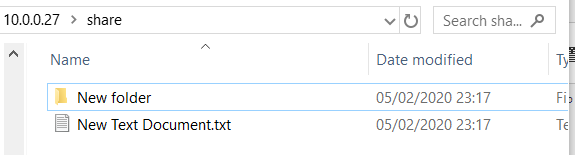
2.5.3- 创建文件测试
3- 其他
windows查看samba挂载情况
cmd:
1 2 3
net use #查看samba挂载情况 net use * /delete #断开所有 net use \\x.x.x.x\public /delete #断开指定
Linux samba挂载:
terminal:
package: cifs-utils
1 2 3 4
mount -t cifs //192.168.6.1 /mnt/sambashare -o username=MYUSERNAME,password=MYPASSOWRD # mount.cifs //192.168.6.1 /mnt/sambashare -o username=<用户名> # 匿名 mount -t cifs //192.168.6.1 /mnt/sambashare -o user=,file_mode=0777,dir_mode=0777,unc=\\\\cifs-server\\share mount | grep cifs
[yuki-share] comment = Yuki's Shared Directory path = /home/yuki/share valid users = zpsmb write list = zpsmb read only = No browseable = Yes create mask = 0644 directory mask = 0755 force user = zpsmb force group = zpsmb
这个配置的含义如下:
[yuki-share]: 共享名称,客户端访问时会看到这个名称
comment: 共享描述
path: 共享目录的路径
valid users: 允许访问的用户
write list: 具有写权限的用户
read only = No: 允许读写
browseable = Yes: 在网络中可见
create mask 和 directory mask: 设置文件和目录的权限掩码
force user 和 force group: 强制使用指定的用户和组权限
1 2 3 4 5 6 7
[global] workgroup = SAMBA security = user map to guest = bad user guest account = nobody passdb backend = tdbsam
然后修改共享配置,允许匿名访问:
1 2 3 4 5 6 7 8 9 10 11
[yuki-share]
	comment = Yuki's Shared Directory
	path = /home/yuki/share
	guest ok = Yes
	guest only = Yes
	browseable = Yes
	read only = No
	create mask = 0666
	directory mask = 0777
	force user = nobody
	force group = nogroup