直方图均衡化处理
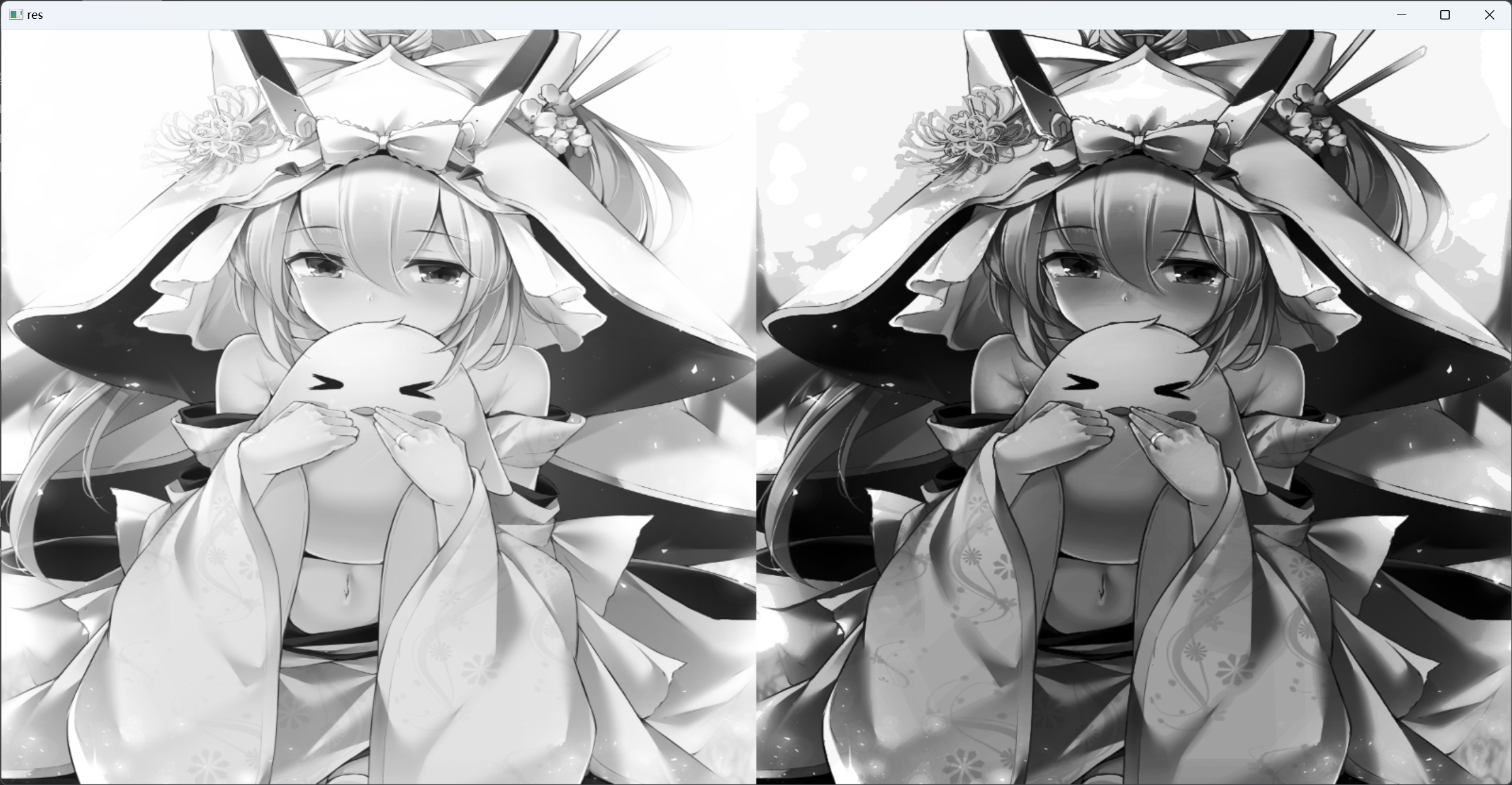
1 | #均衡化处理 |
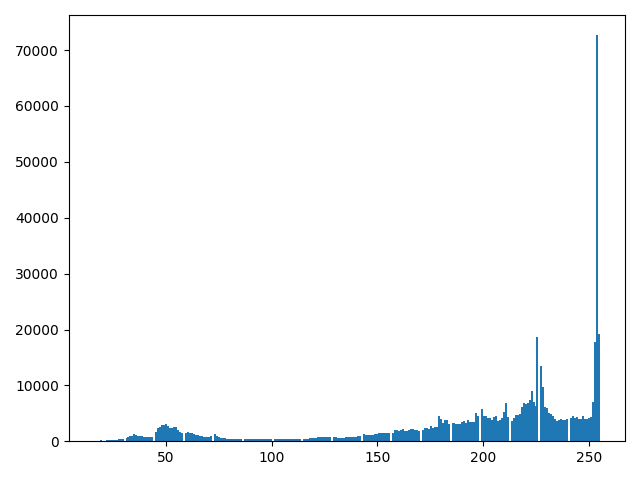
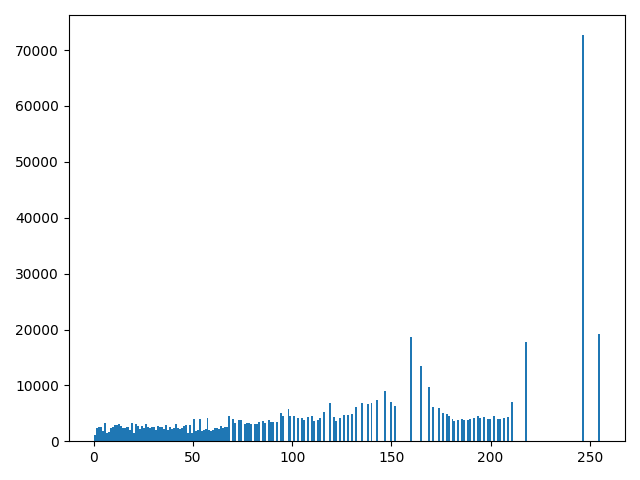
均衡化前:左 均衡化后:右
均衡化前:
均衡化后:
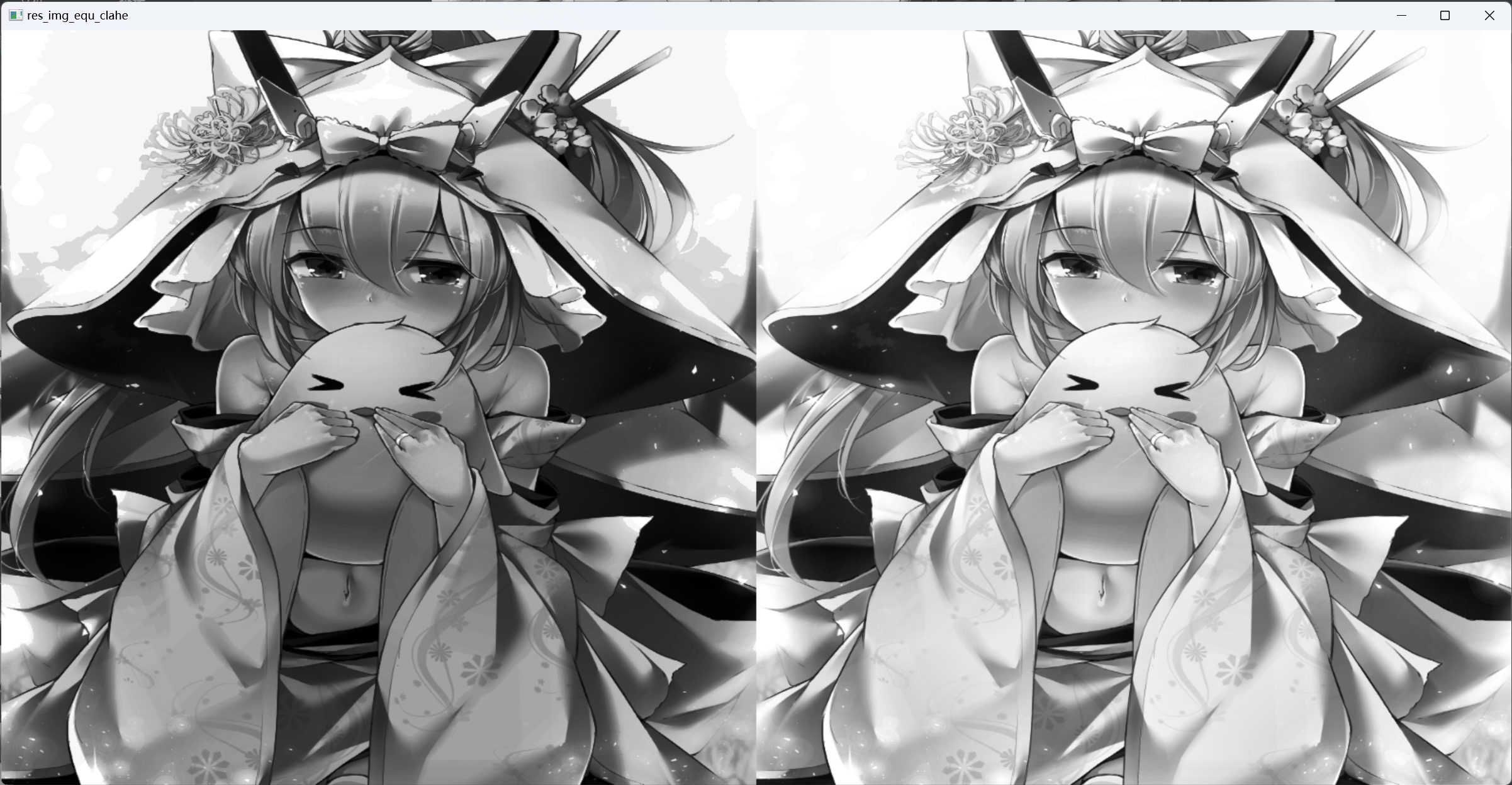
全局均衡化:左 自适应直方图均衡化:右
本博客所有文章除特别声明外,均采用 CC BY-NC-SA 4.0 许可协议。转载请注明来源 YuKiFuHaNeの博客!
相关推荐
2023-07-14
OpenCV 视频的读取与处理
123456789101112131415161718192021222324import cv2import matplotlib.pyplot as pltimport numpy as npvc = cv2.VideoCapture('test.mp4')#检测打开是否正确if vc.isOpened(): open,frame = vc.read()else: open = Falsewhile open: ret,frame = vc.read() if frame is None: break if ret ==True: gray = cv2.cvtColor(frame,cv2.COLOR_BGR2GRAY) cv2.imshow('result',gray) if cv2.waitKey(1) &0xFF == 27: breakvc.release()cv2.destroyAllWindows()

2023-07-14
OpenCV 图像文件保存
12345678import cv2img = cv2.imread("a28.png",cv2.IMREAD_COLOR)#cv2.IMREAD_GRAYSCALE读入灰图img_gray = cv2.cvtColor(img,cv2.COLOR_BGR2GRAY)ret,thresh = cv2.threshold(img_gray,200,255,cv2.THRESH_BINARY_INV)cv2.imwrite("a28_gray.png",img_gray)cv2.imwrite("a28_thresh.png",thresh)

2023-07-14
OpenCV 图像数值相加
1234567import cv2img = cv2.imread("a28.png")img1 = img + 10cv2.imshow('img',img)cv2.imshow("img+10",img1)cv2.waitKey(0)
2023-07-14
OpenCV 形态学操作:腐蚀与膨胀
代码12345678910111213141516171819import cv2import numpy as npimg = cv2.imread("a28.png")ret,thresh = cv2.threshold(img,127,255,cv2.THRESH_BINARY_INV,0)cv2.imshow("thresh",thresh)cv2.waitKey(500)# cv2.destroyAllWindows()#腐蚀kernel = np.ones((3,3),dtype=np.uint8)erosion = cv2.erode(thresh,kernel,iterations=1) #literations 为迭代次数# res = np.hstack(erosion)cv2.imshow('erosion',erosion)cv2.waitKey(0)# cv2.destroyAllWindows()#膨胀dige_dilate = cv2.dilate(thresh,kernel,...

2023-07-14
OpenCV 轮廓特征与轮廓近似
cv2.findContours(img,mode,method): mode:轮廓检索模式 ·RETR_EXTERNAL 只检测最外面的轮廓 ·RETR_LIST 检索所有的轮廓,并将其保存到一条链表当中 ·RETR_CCOMP 检索所有的轮廓,并将他们组织为两层:顶层是各部分的外部边界,第二层是空洞的边界 ·RETR_TREE 检索所有的轮廓,并重构嵌套轮廓的整个层次method:轮廓逼近方法 ·CHAIN_APPROX_NONE 以Freeman链码的方式输出轮廓,所有其他方法使出多边形(顶点的序列) ·CHAIN_APPROX_SIMPLE 压缩水平的、垂直和斜的部分,也就是,函数只保留他们的终点部分 12345678910111213141516171819202122232425262728293031323334353637383940414243444546474849505152#cv2.findContours(i...

2023-07-14
图像平滑处理:均值滤波与方框滤波
1234567891011121314151617181920import cv2img = cv2.imread("lingbosize.png")#均值滤波#简单的平均卷积操作blur = cv2.blur(img,(3,3))#方框滤波#normalize = True和均值一样,选择归一化box = cv2.boxFilter(img,-1,(3,3),normalize=True) #-1表示得到颜色通道数一致#没有选则归一化,容易越界,超过255当作255处理box1 = cv2.boxFilter(img,-1,(3,3),normalize=False)cv2.imshow("blur",blur)cv2.waitKey(1000)cv2.imshow("box",box)cv2.waitKey(1000)cv2.imshow("box1",box1)cv2.waitKey(1000)cv2.waitKey(0) 平均卷积 方框滤波(未归一化) 方框滤波(归一化)